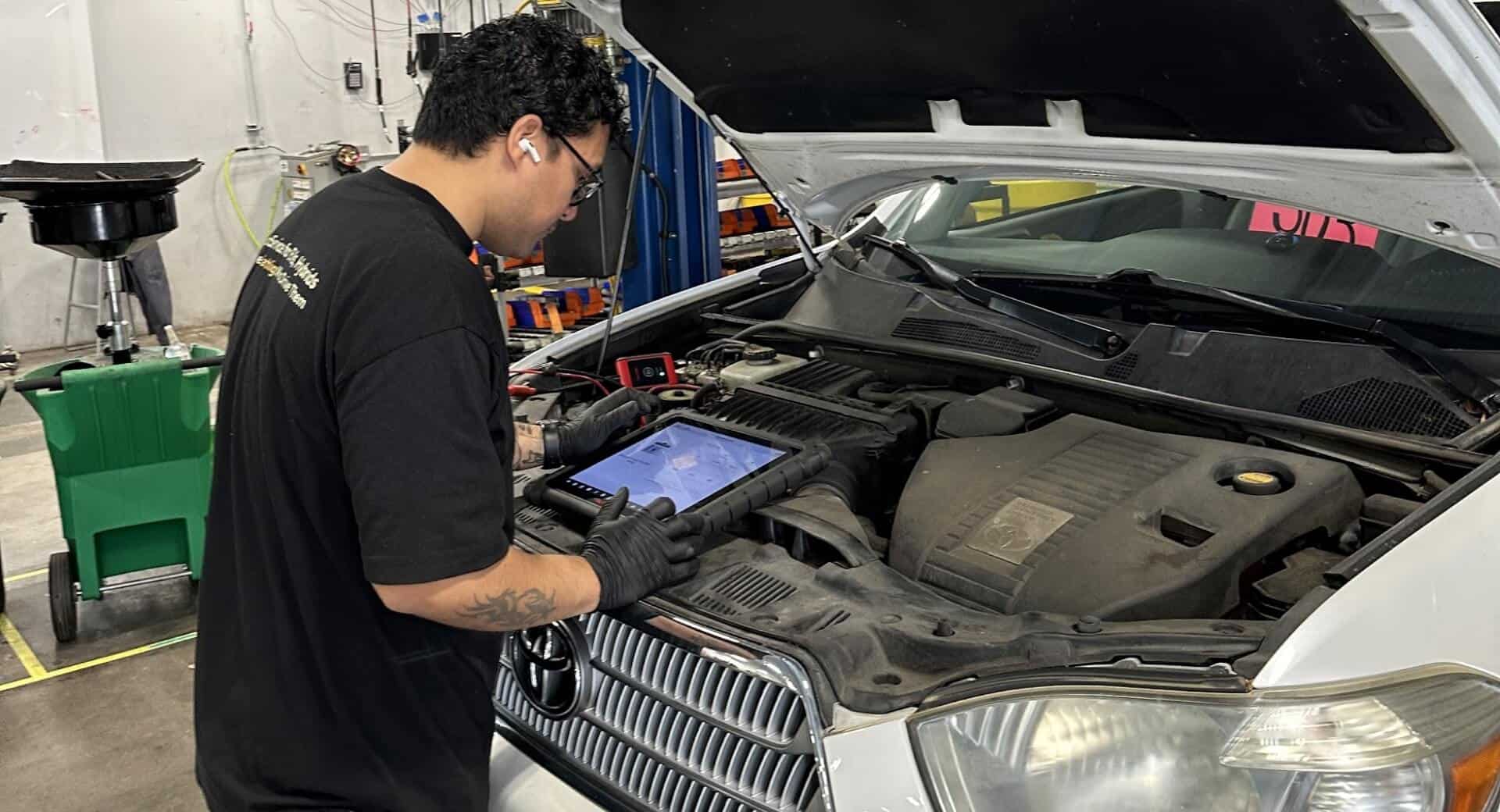
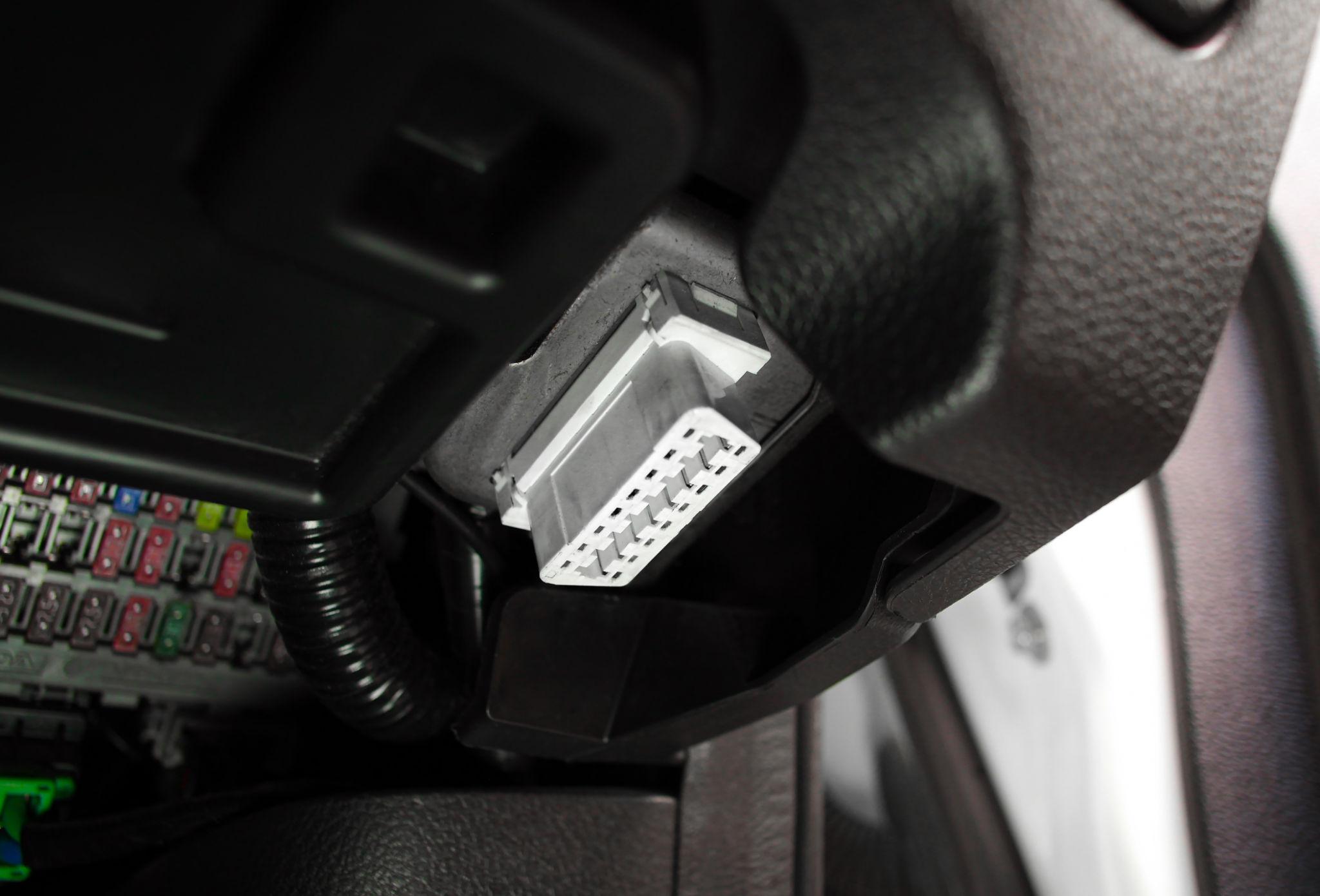
If you want to diagnose ECM problems quickly, you need one essential tool:
👉 OBD Scanner (On-Board Diagnostics Tool)
Without it:
- You guess ❌
With it:
- You diagnose accurately ✅
👉 This guide will teach you step-by-step how to use it
🧠 What is an OBD Scanner?
An OBD scanner is a device that:
👉 Communicates with the ECM
📌 It helps you:
- Read error codes
- Clear codes
- Monitor live data
👉 It’s your digital diagnostic assistant
🔌 Where is the OBD Port?
📍 Usually located:
- Under dashboard
- Near steering wheel
👉 Easy to access
🔧 Step-by-Step: How to Use OBD Scanner
🟢 Step 1: Locate OBD Port
👉 Find under dashboard
🟡 Step 2: Plug in Scanner
👉 Connect properly
🔵 Step 3: Turn Ignition ON
👉 Engine OFF or ON (depends on test)
🟠 Step 4: Power ON Scanner
👉 Device starts
⚫ Step 5: Select “Read Codes”
👉 Scanner reads ECM data
🔴 Step 6: Note Error Codes
Example:
- P0300 → Misfire
- P0171 → Lean condition
🟣 Step 7: Interpret Codes
👉 Use:
- Manual
- Online database
⚙️ Step 8: Fix Problem
👉 Based on diagnosis
🔁 Step 9: Clear Codes
👉 Reset ECM memory
🧪 Step 10: Test Vehicle
👉 Confirm fix
🔍 Types of OBD Scanners
🟢 Basic Scanner
👉 Reads/clears codes
🟡 Advanced Scanner
👉 Live data + advanced features
🔵 Professional Scanner
👉 Programming + deep diagnostics
📊 What Data Can You See?
🔧 Includes:
- Error codes
- Engine RPM
- Sensor data
- Fuel system data
👉 Helps deep diagnosis
🛠️ Real Workshop Case Study
🚘 Problem:
Check engine light ON
Diagnosis:
- OBD code → oxygen sensor fault
Result:
👉 Replaced sensor
🧪 Advanced Case Study
🚘 Problem:
Car not starting
Diagnosis:
- No crank sensor signal
Result:
👉 Sensor replaced
⚠️ Common Mistakes
❌ Only reading codes
👉 Not enough
❌ Ignoring live data
👉 Misses deeper issues
❌ Clearing codes without fixing
👉 Problem returns
🧠 Pro Tips
✅ Always:
- Combine scanner + multimeter
- Understand codes, don’t guess
✅ Learn common codes
🇮🇳 Indian Market Insight
Popular Use:
- Check engine light diagnosis
- Quick troubleshooting
👉 Essential tool
💰 Cost vs Value
Scanner Cost:
₹1,000 – ₹10,000
Value:
👉 Saves thousands
📊 Quick Usage Checklist
👉 Plug in
👉 Read codes
👉 Interpret
👉 Fix issue
👉 Clear codes
👉 Test
❓ Frequently Asked Questions (FAQs)
Q1: Can beginners use OBD scanner?
Yes, very easy.
Q2: Does it show exact problem?
It gives direction, not always exact cause.
Q3: Is it necessary tool?
Yes, essential.
Q4: Can it damage car?
No, safe to use.
Q5: Which scanner is best?
Depends on budget and need.
🏁 Conclusion
An OBD scanner is your first step into professional ECM diagnosis.
👉 The key:
- Use it correctly
- Understand data
- Combine with other tools
Mastering this helps you:
👉 Diagnose faster
👉 Avoid guesswork
👉 Build confidence
📺 Watch a real battery testing demo here: Reynlab YouTube Channel
🌐 Explore our automotive training programs: www.reynlab.com/our-courses