How to Diagnose ECM Issues Using an OBD Scanner
· ECU Repair – Diagnostics & Maintenance
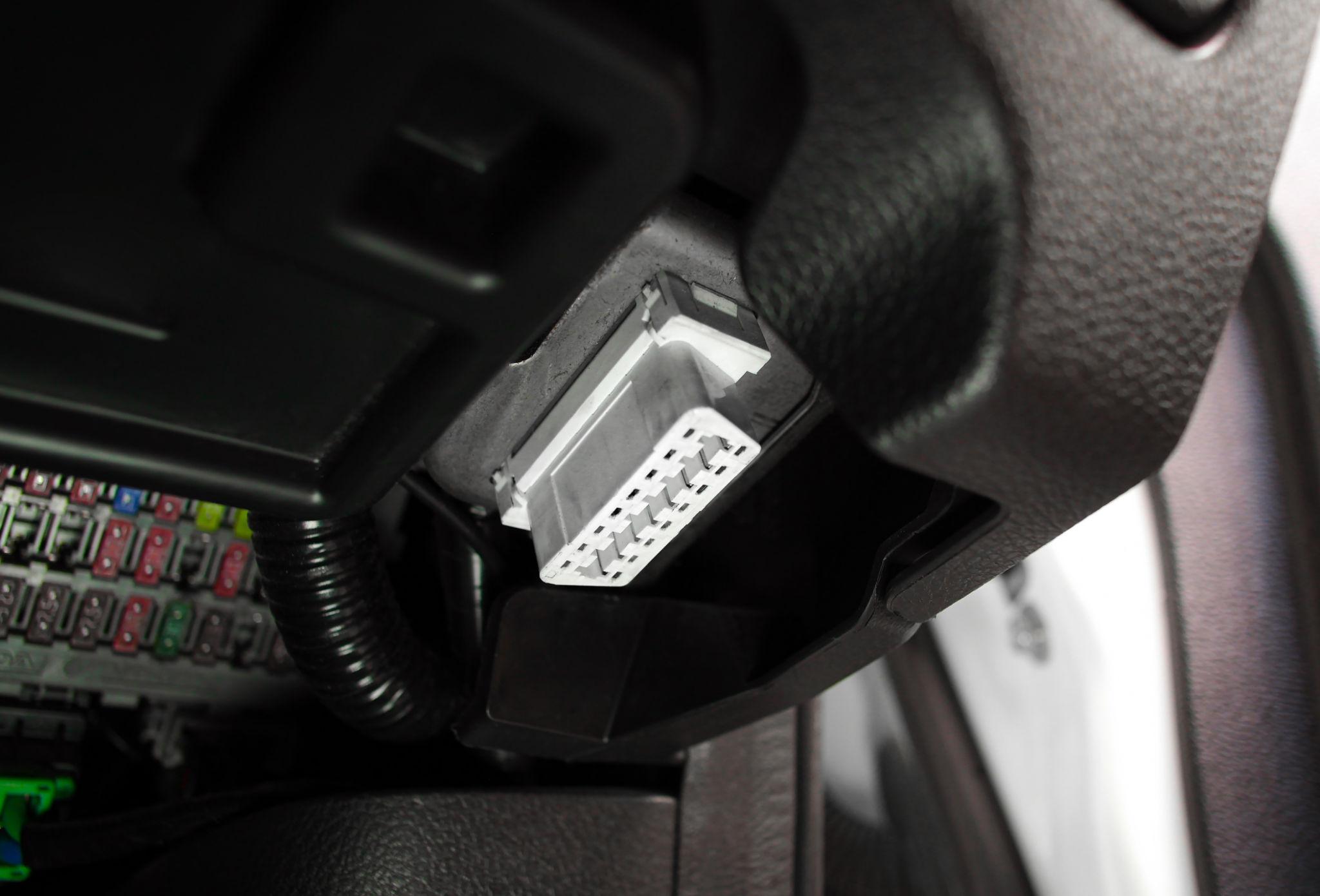
If you want to diagnose ECM problems quickly, you need one essential tool: the OBD scanner (On-Board Diagnostics tool). Without it you guess. With it you diagnose accurately. This guide shows step by step how to use it.
What is an OBD scanner?
An OBD scanner is a device that communicates with the ECM. It helps you read error codes, clear codes and monitor live data, which makes it your digital diagnostic assistant.
Where is the OBD port?
The port is usually located under the dashboard, near the steering wheel, and is easy to access.
Step-by-step: how to use an OBD scanner
- Locate the OBD port under the dashboard.
- Plug in the scanner and connect it properly.
- Turn the ignition ON. The engine can be off or on, depending on the test.
- Power on the scanner.
- Select "Read Codes". The scanner reads the ECM data.
- Note the error codes. For example, P0300 means misfire and P0171 means a lean condition.
- Interpret the codes using the manual or an online database.
- Fix the problem based on your diagnosis.
- Clear the codes to reset the ECM memory.
- Test the vehicle to confirm the fix.
Types of OBD scanners
- Basic scanner: reads and clears codes.
- Advanced scanner: live data and advanced features.
- Professional scanner: programming and deep diagnostics.
What data can you see?
A scanner shows error codes, engine RPM, sensor data and fuel system data. This helps with deep diagnosis.
Real workshop case studies
Check engine light on
The check engine light was on. The OBD code pointed to an oxygen sensor fault, and replacing the sensor fixed it.
Car not starting
In this advanced case, the car would not start. Diagnosis showed no crank sensor signal, and the sensor was replaced.
Common mistakes
- Only reading codes, which is not enough.
- Ignoring live data, which misses deeper issues.
- Clearing codes without fixing the fault, so the problem returns.
Pro tips
Combine the scanner with a multimeter, and understand the codes instead of guessing. Learn the common codes.
Indian market insight
The scanner is popular for check engine light diagnosis and quick troubleshooting. It is an essential tool.
Cost versus value
A scanner costs ₹1,000 – ₹10,000 and saves thousands in the long run.
Quick usage checklist
- Plug in
- Read codes
- Interpret
- Fix the issue
- Clear codes
- Test
Frequently asked questions
Can beginners use an OBD scanner?
Yes, it is very easy to use.
Does it show the exact problem?
It gives direction, but not always the exact cause.
Is it a necessary tool?
Yes, it is an essential tool for diagnosis.
Can it damage the car?
No, it is safe to use.
Which scanner is best?
It depends on your budget and need.
Summary
An OBD scanner is your first step into professional ECM diagnosis. Use it correctly, understand the data and combine it with other tools. You will diagnose faster, avoid guesswork and build confidence.
Watch our workshop videos on the Reynlab YouTube Channel. You can also explore our automotive training programs at www.reynlab.com/our-courses.