How to Use OBD2 Live Data for ECM Diagnosis
· ECU Repair – Diagnostics & Maintenance
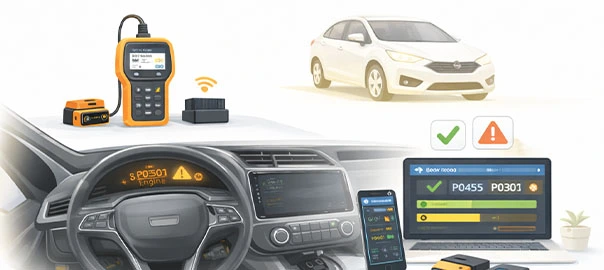
Reading error codes is just the beginning. Real professionals use live data, which is real-time data from the ECM. With live data you can detect hidden problems, diagnose faster and avoid guesswork. This is where real expertise begins.
What is live data?
Live data is real-time information from the sensors and the ECM. Examples are engine RPM, throttle position, fuel trim and coolant temperature. It shows what is happening right now.
Why live data is important
Live data helps you confirm faults, detect intermittent issues and understand sensor behaviour. Codes tell you what happened, while live data shows what is happening.
Key live data parameters
1. Engine RPM
At idle the normal range is 700–900 RPM. Anything abnormal points to a sensor or engine issue.
2. Throttle position (TPS)
The normal reading is about 10–15% at idle and about 90–100% at full throttle. An irregular reading means a TPS issue.
3. Coolant temperature
The normal range is 80°C – 95°C. A value that is too high or too low means a sensor or cooling issue.
4. Fuel trim (short and long term)
The normal range is -10% to +10%. A high value means a fuel or air issue.
5. Oxygen sensor (O2)
The voltage should fluctuate. No fluctuation means a faulty sensor.
6. Mass air flow (MAF)
The normal value depends on the engine. A low or high reading means an air intake issue.
7. Battery voltage
The normal range is 12–14V. A low reading means a power issue.
Step-by-step: how to use live data
- Connect the OBD scanner. Plug it in and start.
- Select live data and choose the parameters.
- Start the engine and observe the readings.
- Compare with normal values to identify abnormal data.
- Perform tests: accelerate, idle and load the engine.
- Analyse the changes and look for irregular patterns.
Real workshop case studies
Case 1: rough idle
The live data showed a fuel trim of +25%, which pointed to an air leak. The vacuum leak was fixed.
Case 2: poor acceleration
The TPS reading was not increasing properly, which meant a faulty TPS. The sensor was replaced.
Case 3: engine overheating
The coolant temperature reading was abnormal, which pointed to a sensor issue. The sensor was fixed.
Common mistakes
- Ignoring live data means you miss the real issue.
- Not knowing normal values leads to misinterpretation.
- Checking only one parameter gives an incomplete diagnosis.
Pro tips
Always compare multiple parameters and check under different conditions. Practise regularly.
Indian market insight
Live data is commonly used to diagnose sensor issues and confirm wiring faults, and its importance is growing.
Value of the live data skill
It helps you diagnose faster, reduce trial and error and increase accuracy.
Quick live data checklist
- RPM is OK.
- TPS is OK.
- Fuel trim is normal.
- Sensors are responding.
- Voltage is stable.
Frequently asked questions
What is live data?
It is real-time sensor data from the ECM.
Is it better than codes?
Yes, it is more detailed than codes.
Can beginners use it?
Yes, beginners can use it with practice.
Why do the values change?
The values change because engine conditions change.
Is it necessary?
Yes, it is necessary for advanced diagnosis.
Summary
Live data is what separates beginners from professionals. Observe carefully, compare values and practise consistently, and you will diagnose like an expert, solve complex issues and gain confidence.
Watch our workshop videos on the Reynlab YouTube Channel. You can also explore our automotive training programs at www.reynlab.com/our-courses.